Color printers make it easy to turn digital photos, documents, and creative projects into printed copies. Whether you want to print family memories, colorful presentations, product images, or everyday documents, choosing the right printer can make a noticeable difference in print quality and running costs.
But with so many options available, how do you know which color printer is right for you? In this guide, we’ll explain the main types of color printers, what to look for before buying, and how to get better results from your prints.
What Are Color Printers?
Color printers are printing devices that reproduce text, images, graphics, and photographs using colored ink or toner. Most consumer color printers combine cyan, magenta, yellow, and black (CMYK) to create a wide range of colors.
They are useful for printing everything from school projects and business documents to colorful photographs and creative designs. The best choice depends on what you print most often, how frequently you use your printer, and the level of image quality you need.
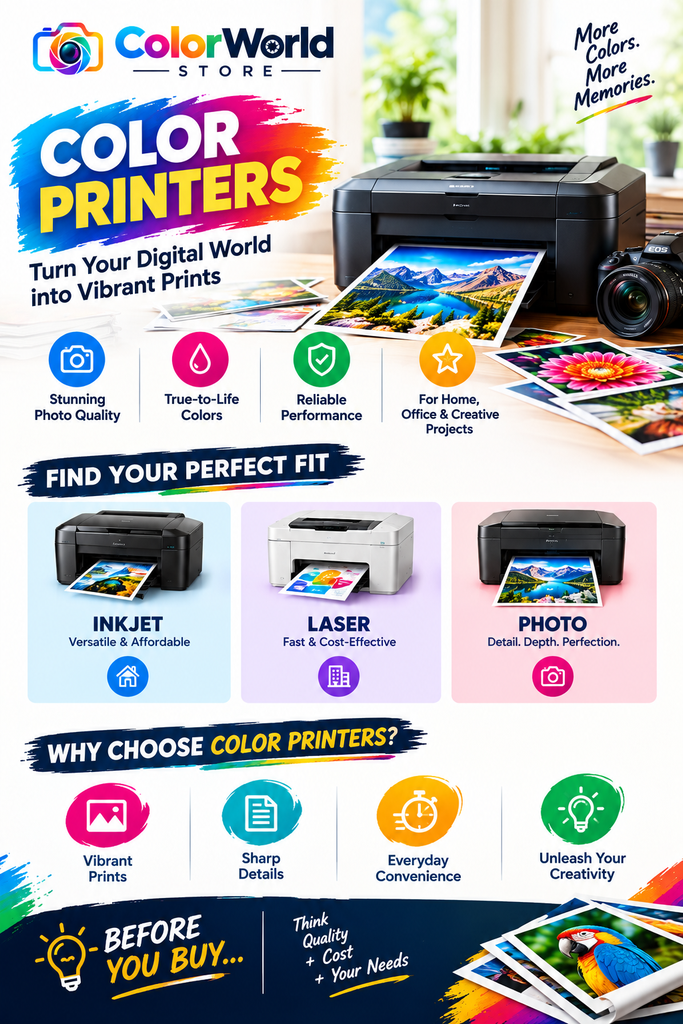
Types of Color Printers
Different printers are designed for different needs. Understanding the main options can help you choose one that suits your budget and printing habits.
1. Color Inkjet Printers
Color inkjet printers spray tiny droplets of ink onto paper to produce text, graphics, and images. They are a popular choice for home users because many models can handle everyday documents as well as photographs.
Best for: Home printing, occasional photo printing, school projects, and mixed everyday use.
Things to consider: Ink cartridges may need replacing regularly, especially if you print frequently or produce many full-color images.
2. Color Laser Printers
Color laser printers use toner powder and heat to create prints. They are often a practical option for offices and users who print a large number of documents.
Best for: Business documents, reports, presentations, and regular high-volume printing.
Things to consider: The initial purchase price can be higher, and standard office models may not reproduce photographs as naturally as printers designed specifically for photo printing.
3. Dedicated Photo Printers
Photo printers are designed to reproduce photographs with detailed images and attractive color output. Depending on the model, they may use specialized inks, additional color channels, or printing technologies intended for photographic work.
Best for: Photography enthusiasts, creative professionals, portfolios, and high-quality photo prints.
Things to consider: Check the supported print sizes, compatible photo paper, ink costs, and whether the printer meets your needs for everyday documents.
How to Choose the Best Color Printer
Before purchasing a printer, consider how you will use it. A model that works well for office documents may not be the best option for printing photographs.
Consider Print Quality
If you mainly print documents, clear text and consistent colors may be your priorities. For photographs, look for good color accuracy, fine detail, smooth gradients, and support for suitable photo paper.
Printer resolution can be useful when comparing models, but it is not the only measure of print quality. Ink technology, paper quality, and the original image also affect the final result.
Compare Running Costs
The purchase price is only one part of the cost of owning a printer. Consider the price of replacement ink or toner, the number of pages you expect to print, and the cost of specialty paper.
If you print regularly, compare the estimated cost per page. An affordable printer may become more expensive to maintain if its consumables cost more over time.
Check Paper and Print Sizes
Different printers support different paper types and sizes. Standard A4 paper may be sufficient for everyday use, while photography may require glossy, matte, or other specialty paper.
If you plan to print larger images, check the maximum supported paper size before buying.
Look at Connectivity and Features
Wireless printing, mobile device support, scanning, and copying can make a printer more convenient. Consider which features you will genuinely use rather than paying extra for functions you may not need.
Match the Printer to Your Printing Habits
Think about how often you print and what you print most.
- Occasional home use: A versatile color inkjet printer may be suitable.
- Frequent office printing: A color laser printer may be worth considering.
- High-quality photography: A dedicated photo printer may offer more appropriate image reproduction.
The right choice is the one that balances print quality, convenience, and long-term cost for your particular needs.
Tips for Getting Better Color Prints
Even a good printer can produce disappointing results if the settings, paper, or source images are unsuitable. These simple tips can help improve your output.
- Use the right paper: Choose paper designed for your printer and the type of image you are printing.
- Select the correct print settings: Use photo or high-quality mode when appropriate, rather than relying on standard document settings.
- Check your image quality: Blurry or low-resolution source images may still look blurry when printed.
- Maintain your printer: Follow the manufacturer’s instructions for cleaning printheads and replacing consumables.
- Check colors before printing multiple copies: Print a test page first when color accuracy matters.
- Store photo prints carefully: Protect printed photographs from excessive sunlight, moisture, and handling.
These small adjustments can help you get more consistent results and reduce wasted ink and paper.
Frequently Asked Questions About Color Printers
1. Which type of color printer is best for home use?
A color inkjet printer is often a flexible choice for home use because it can handle documents, graphics, and occasional photographs. The best model depends on your budget, printing frequency, and required features.
2. Are color inkjet printers good for photos?
Yes. Many color inkjet printers can produce attractive photographs, particularly when used with suitable photo paper and appropriate print settings. Dedicated photo printers may be preferable when photographic quality is the main priority.
3. Are color laser printers better than inkjet printers?
Neither type is best for every situation. Color laser printers are often well suited to frequent document printing, while inkjet printers offer flexibility for mixed printing needs and can be a good choice for photographs.
4. How can I reduce the cost of color printing?
Compare ink or toner costs before purchasing, use the appropriate print quality setting, avoid unnecessary color printing, and select a printer that matches your expected workload. For frequent printing, calculate the estimated running cost rather than comparing purchase prices alone.
5. What paper should I use for color photographs?
Use photo paper compatible with your printer. Glossy paper offers a shiny finish, while matte paper provides a less reflective appearance. Always check the printer manufacturer’s recommendations for paper type and weight.
6. Why do printed colors look different from screen colors?
Screens create colors using light, while printers use inks or toners on paper. Differences in screen calibration, printer settings, paper, and color profiles can cause the final print to look different from the digital image.
7. Can I use a color printer for black-and-white documents?
Yes. Most color printers can print black-and-white or grayscale documents. Check the printer settings and whether the model uses black ink or toner separately for these jobs.
AI Overview: What Should You Know About Color Printers?
Color printers produce text, graphics, and photographs using colored ink or toner. The three main options are color inkjet printers, color laser printers, and dedicated photo printers.
- Color inkjet printers are versatile choices for homes and mixed everyday printing.
- Color laser printers are often suitable for offices and frequent document printing.
- Photo printers are designed for users who prioritize photographic detail and color reproduction.
When choosing a color printer, compare print quality, ink or toner costs, supported paper sizes, connectivity, and expected printing volume. For better results, use compatible paper, select suitable print settings, and start with a high-quality digital image.
In short: The best color printer is the one that fits your main printing needs and offers a good balance of quality, convenience, and long-term cost.
Final Thoughts
Choosing among color printers becomes much easier when you understand what each type is designed to do. Inkjet models offer flexibility for everyday printing, laser printers can be practical for document-heavy workloads, and dedicated photo printers are worth considering when photographic output matters most.
Before making a decision, compare the total cost of ownership, supported paper types, and print quality for your intended use. With the right printer and a few simple printing habits, you can produce clear documents, vibrant graphics, and photographs you’ll be happy to keep or share.